Sooner or later every Valorant player asks the same question: how much money have I actually put into this game? Riot doesn't show you a lifetime total anywhere in the client, and the purchase history page only covers VP top-ups — not what the points became. The real answer lives in your inventory.
This guide covers three ways to get the number, from rough to verified.

Why Riot doesn't just tell you
Your Riot account page shows VP purchase history (real money → VP), but not VP spend history (VP → skins, passes, accessories). Refunds, gifted bundles, event discounts, and earned skins all blur the picture. So any spend total has to be reconstructed from what your account owns.
That reconstruction is exactly what the methods below do — they differ only in effort and accuracy.
Method 1: The mental math (fast, very rough)
Count your skins by tier and multiply by standard store prices:
- Select tier — 875 VP
- Deluxe tier — 1,275 VP
- Premium tier — 1,775 VP
- Ultra tier — 2,475 VP
- Exclusive tier — varies, typically 2,175+ VP

Add 1,000 VP per battle pass you've bought, plus whatever you remember spending on weapon buddies and player cards from bundles.
The problem: this overcounts badly. Battle-pass skins, agent-contract skins, and event rewards sit in your inventory without having cost you a single VP. A 40-skin inventory might contain 15 earned skins — counting them inflates your "spend" by thousands of VP.
Method 2: The spreadsheet (accurate, slow)
The honest manual version:
- List every skin you own (check the Collection tab weapon by weapon).
- Mark which ones came from battle passes, agent contracts, or events — those cost 0 VP.
- Price the rest at their standard store cost.
- Add 1,000 VP per purchased battle pass.
- Convert VP to your currency (in the US, 1,000 VP ≈ $9.99 at the base bundle rate).
Doable, but for a big inventory it's an hour of cross-referencing skin tiers against price lists — and the result is still self-reported, so nobody else has a reason to believe it.
Method 3: The verified pull (accurate, one minute)
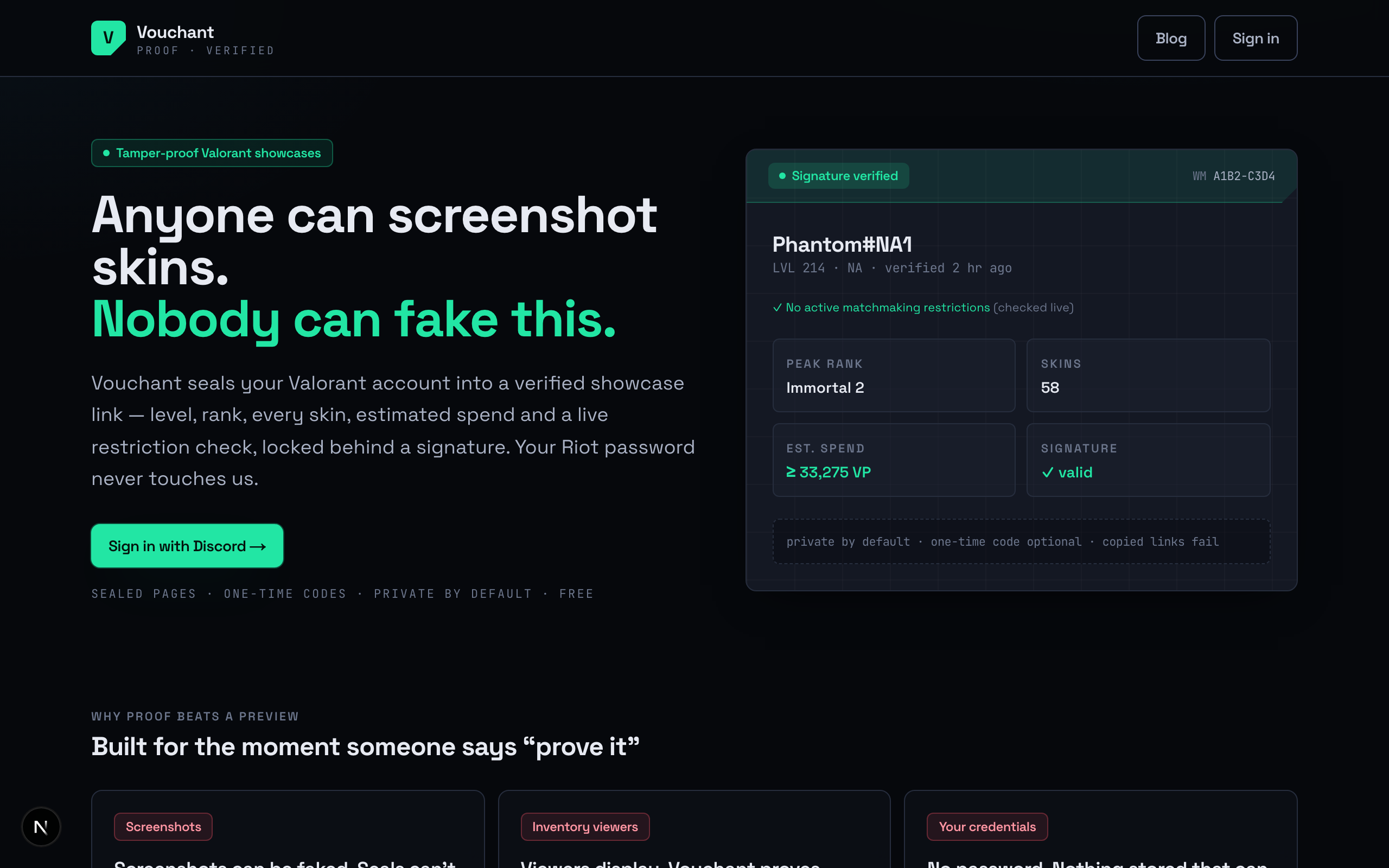
Vouchant does the reconstruction automatically — and cryptographically signs the result. You log in on Riot's own page (your password never touches anything else), Vouchant reads your live inventory straight from Riot's systems and verifies it server-side, and you get:
- Estimated VP spent on skins — every owned skin priced at standard store cost, with battle-pass, contract, and event skins excluded automatically (you'll see the "X bought · Y earned" split).
- Battle-pass VP floor — 1,000 VP per detected purchased pass.
- A combined floor figure — the minimum you've spent at standard prices, clearly labeled as a floor since bundle discounts and accessories aren't guessed at.
Because the data comes from Riot's systems and not a screenshot, the number is verifiable — the result is a signed, tamper-proof page you can share, and anyone viewing it knows it wasn't typed into an image editor.
A spend total you calculated yourself convinces you. A spend total pulled live from Riot's systems and cryptographically signed convinces everyone else.
What counts as "spent," exactly
Worth being precise, because every method above answers a slightly different question:
- VP topped up — what your bank statement shows. Includes VP still sitting unspent.
- VP spent on cosmetics — what your inventory proves. This is the number people usually mean.
- Floor vs. actual — bundle pricing and night-market discounts mean your actual spend can be lower per item than standard prices; untracked accessories push it higher. A floor figure at standard prices is the most defensible single number.
The bottom line
You can eyeball it, spreadsheet it, or verify it. If you just want the number once, the mental math is fine. If you want a number that's accurate and provable — for a flex, a Discord argument, or your own budgeting horror — pull it verified.
Get your verified VP total at vouchant.space — one minute, no password shared, and the math is done against your real inventory.